Open the day. Record as you go. Close the day.
SiamSafe follows the paper diary your kitchen already keeps. Here's what a day looks like, from setting up to the manager's sign-off.
About ten minutes to get started
- Install SiamSafe from Google PlayOn the kitchen tablet or a phone. The iPhone version is coming soon.
- Create the owner's accountEnter the owner's email and we send a 6-digit code. There's no password to forget.
- Name your restaurantAdd the restaurant name and postcode, and choose Thai or English.
- Set up the kitchenHow many fridges and freezers, what they're called, and your cleaning list. Sensible limits are filled in, and you can change them.
- Add your staffA name, a role and a 4-digit PIN for each person. Choose who can sign off the day.
- Do your first fridge checkThat's it. The Today screen shows what's next from here on.
Opening checks and the morning temperatures
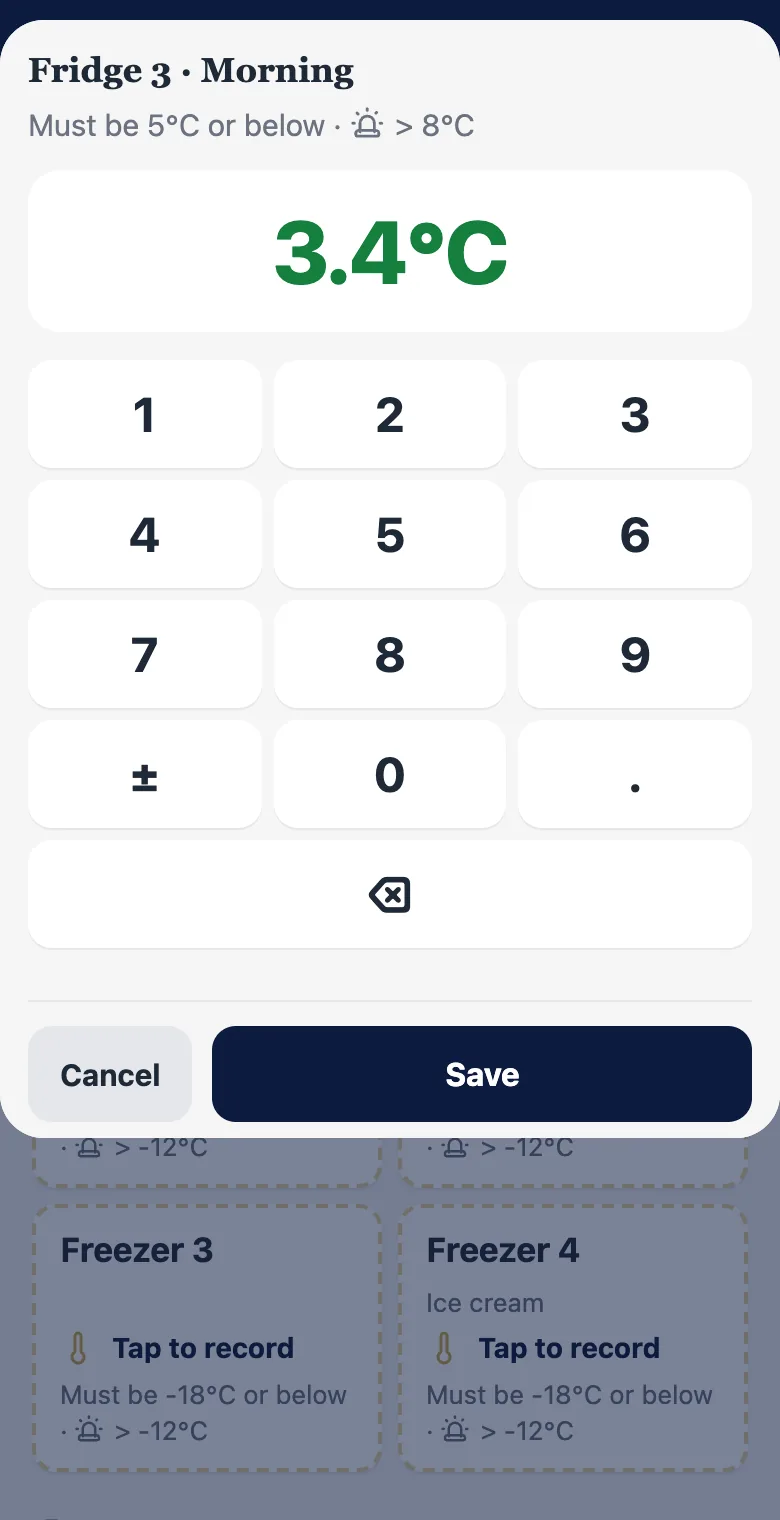
Tick through the opening checks, then take each fridge and freezer in turn. The limit is shown above the number pad, and a reading outside it asks what you did about it.
- Fridges and freezers, morning and evening
- Big number pad, with ± for freezers
- Every reading saved with the person's name and the time
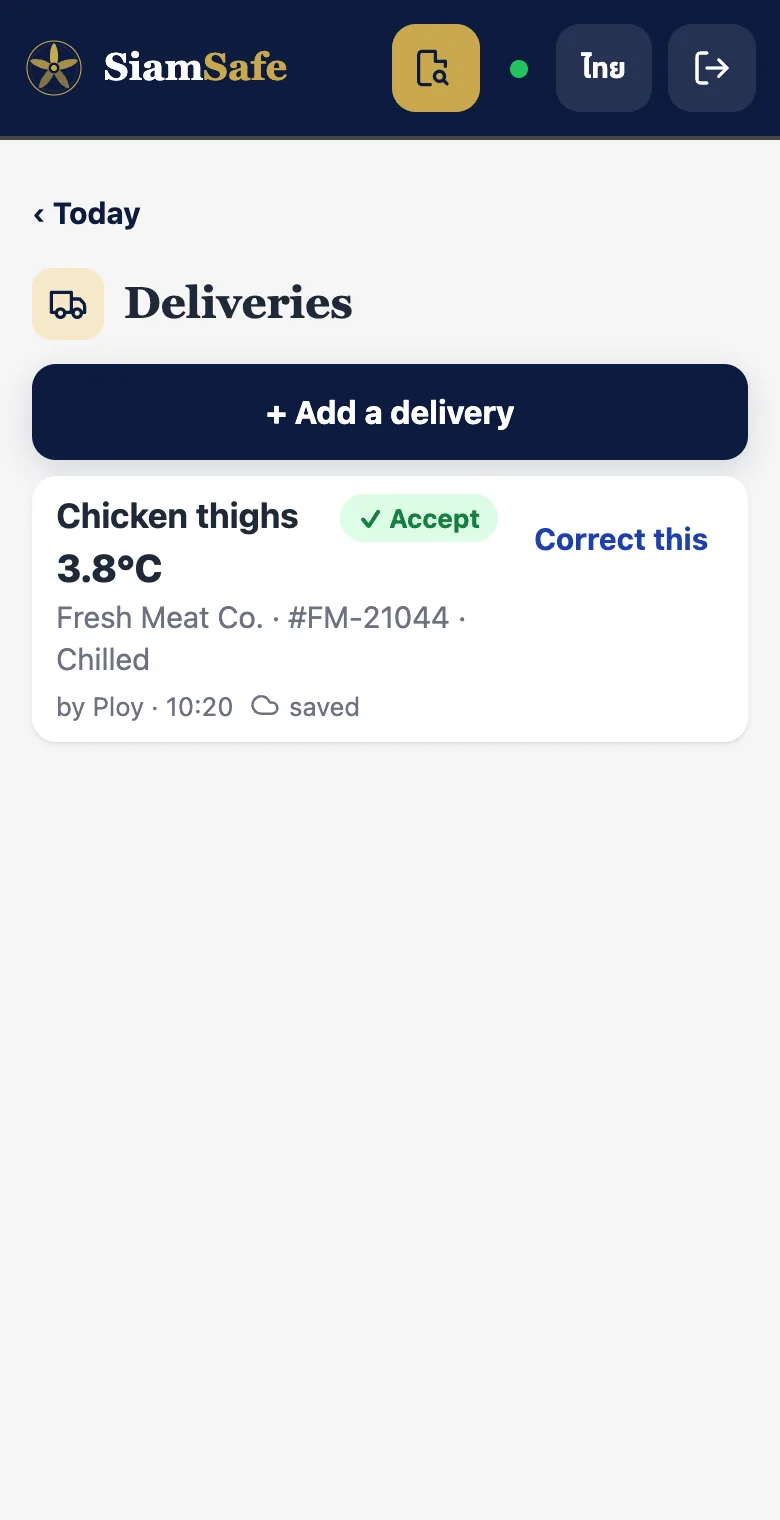
Accept or reject, with the reason
Record each delivery as it comes in: the supplier, what it was, the temperature for chilled and frozen goods, and the delivery note number. If you turn something away, the reason is saved with it.
Cooking, reheating, hot-holding and cooling
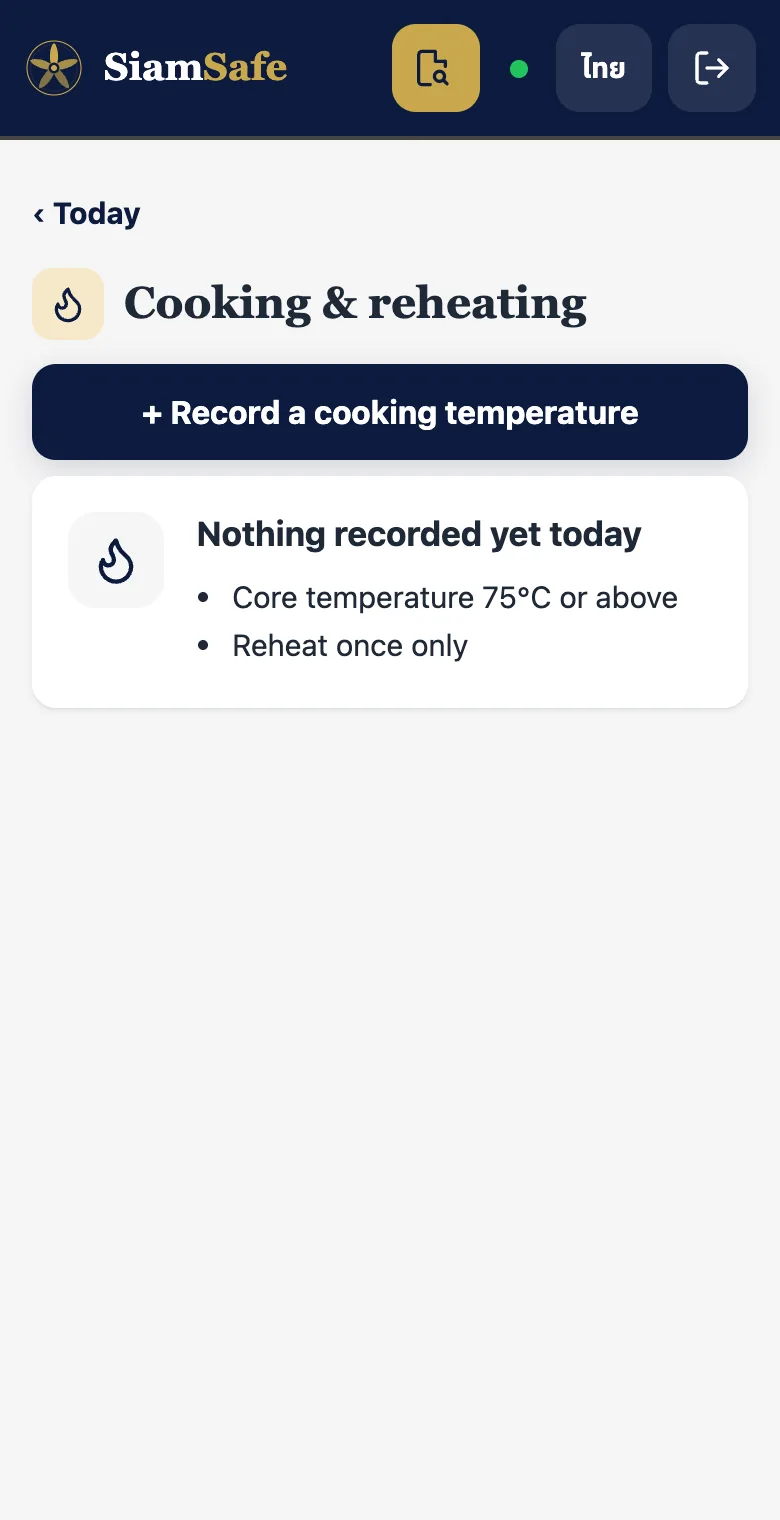
Pick the dish from your menu and enter the core temperature. Cooling shows its limits on screen, including the rice rule, so the team knows when food has to be chilled.
- Core temperature 75°C or above for cooking and reheating
- Reheat once only
- Cooling: below 8°C within 90 minutes
- Rice: cooled within an hour, used within 24 hours
Cleaning, closing checks and the sign-off
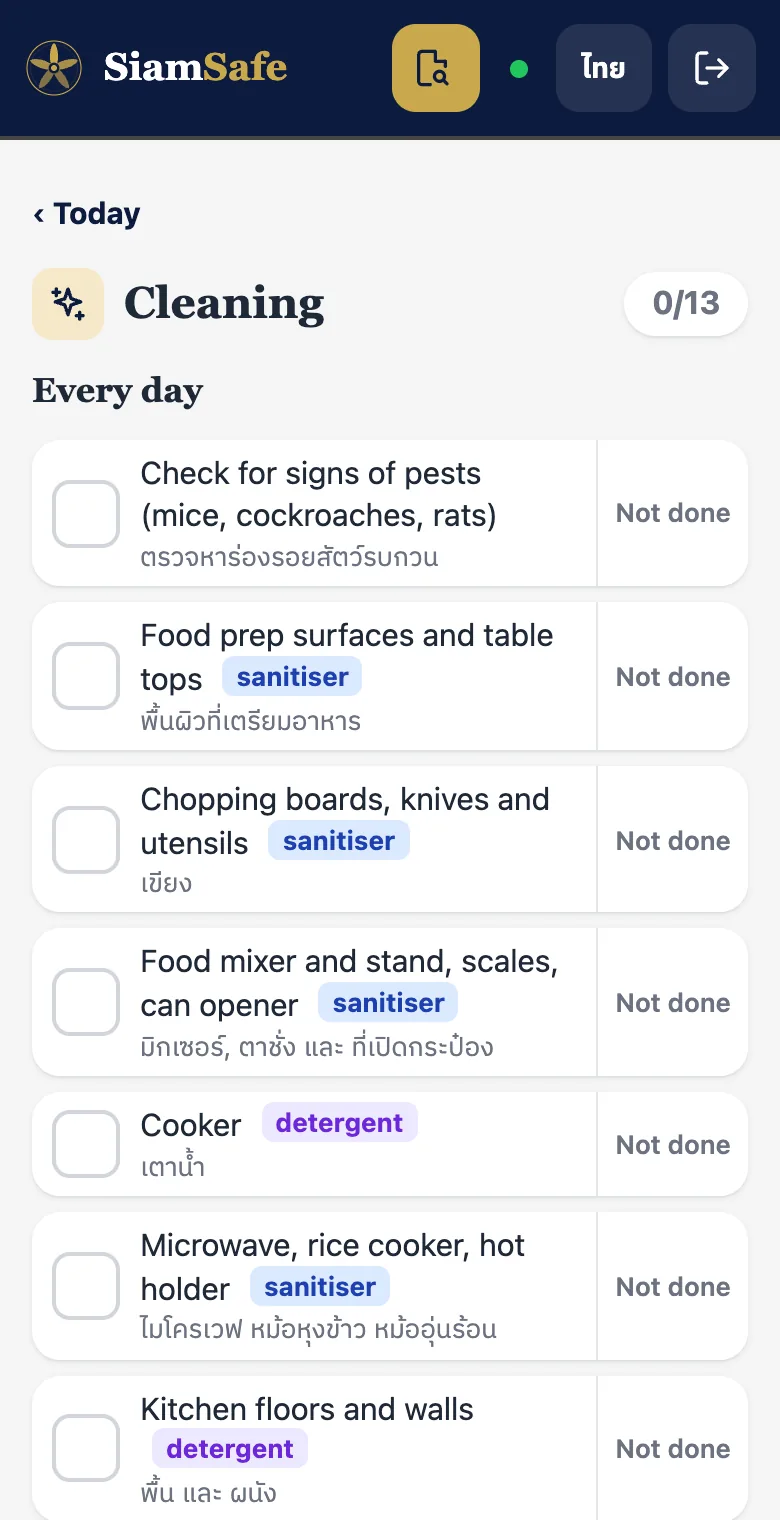
Your own cleaning list, with the product to use for each job. At close, a manager signs the day. If anything was missed, SiamSafe shows it first, and the gap stays visible in the records rather than disappearing.
Close the week
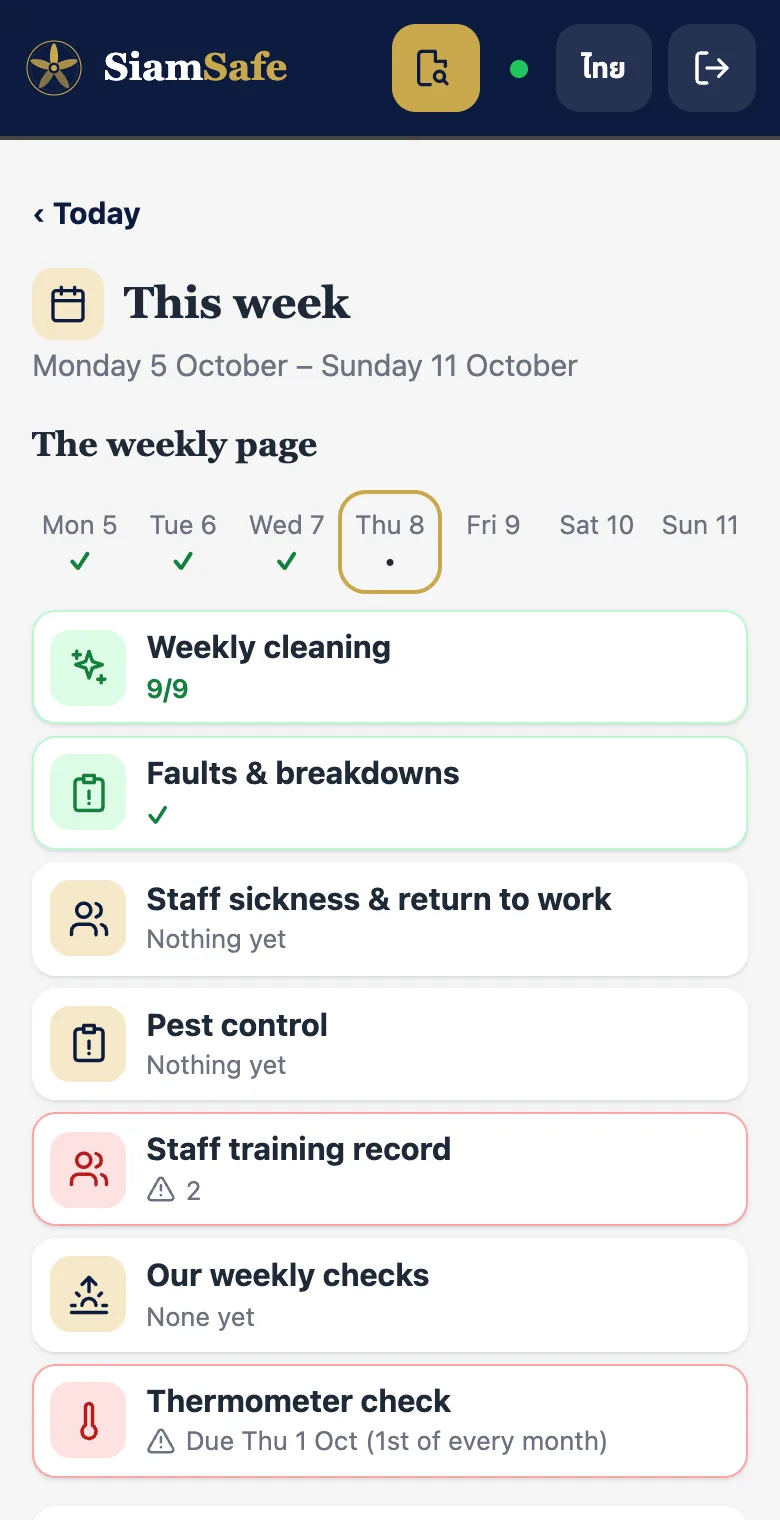
Once a week, a manager closes the week: faults and breakdowns, pest control, staff sickness and return to work, the weekly cleaning and the monthly thermometer check, all on one page.
The parts you don't have to think about
Offline first
Records save on the device straight away and show "saved". They back up on their own when the connection comes back.
New or lost tablet
Sign in on the new device with the owner's email and your records come back. The owner can remove a lost device.
Who to call
Save your engineer's number once. It's shown right where a problem is recorded.
Try it in your kitchen this week
SiamSafe is free. Install it on the kitchen tablet and do tomorrow's opening checks with it.
 Free on Android now.
iPhone version coming soon.